

Samsung S85F OLED TV review: Put it on your shortlist
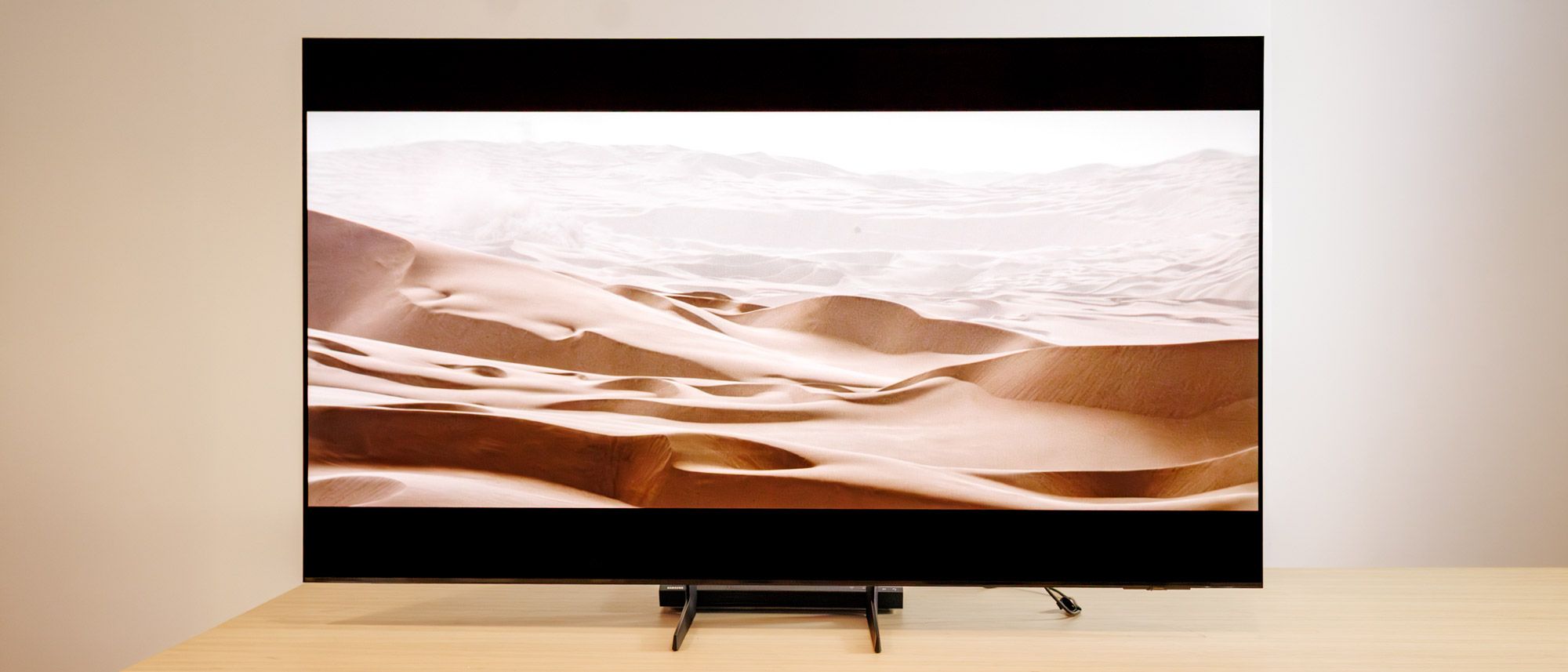
For one reason or another, Samsung TVs have never quite been my cup of tea. I was always either annoyed by Samsung’s Tizen OS, or unimpressed by their performance compared to their high price tags. They always came across to me as overpriced for what you end up getting; a superfluous expense.
But the Samsung S85F OLED finally changed my mind. It was the first time in a long time that I’d spent an extended period of time with a Samsung TV, and by the end of it, I was blown away by the TV’s picture quality, performance, breadth of screening modes, and more.
If you’re shopping for a new TV and are looking to invest in one of the best OLED TVs, I think the S85F needs to be on your shortlist.
Samsung S85F OLED TV review: Price and release date
The Samsung S85F is part of Samsung’s 2025 OLED lineup. It launched in Feb. 2025 for $2,000 (although I have seen it recently discounted to as low as $1,199). We reviewed the 65-inch model, but it comes in three other sizes for you to choose from:
- Samsung QN55S85FAFXZA (55-inch): $1,499.99 | Sale: $999.99
- Samsung QN55S85FAFXZA (65-inch): $1,999.99 | Sale: $1,199.99
- Samsung QN55S85FAFXZA (77-inch): $2,999.99 | Sale: $1,599.99
- Samsung QN55S85FAFXZA (83-inch): $4,499.99 | Sale: $2,299.99
The S85F comes in a little bit cheaper than Samsung’s more premium OLED models like the Samsung S90F and flagship Samsung S95F, but still packs in a ton of great features that are comparable to other TVs in its price range, like the LG B5 OLED, which goes for $1,999.99 for the 65-inch model.
No matter the size you want to go for, expect to see similar performance across the board.
Samsung S85F OLED TV review: Design
The S85F makes a strong first impression with its ultra-thin profile, which comes out to just 1.3 inches deep. The downside to its slim profile, however, is that it did feel a bit flimsy during the setup process, so it’s important to handle it with care when placing it.
I generally prefer a central pedestal stand with my TVs, but Samsung’s dual legs make for a tolerable compromise, especially since they can be placed in more than one configuration, which allows for some flexibility with different media setups. The legs themselves feel slightly cheap for this price point, but not enough to be a dealbreaker.

Once installed, its understated look works well, and I could see it fitting aesthetically into virtually any room, regardless of the surrounding decor. The S85F can also be wall-mounted, which gives it a look that’s more similar to Samsung’s The Frame, if that’s your thing. Another highlight is the TV’s impressively slim bezels, which never distracted me from what was on the screen and made the experience much more immersive.
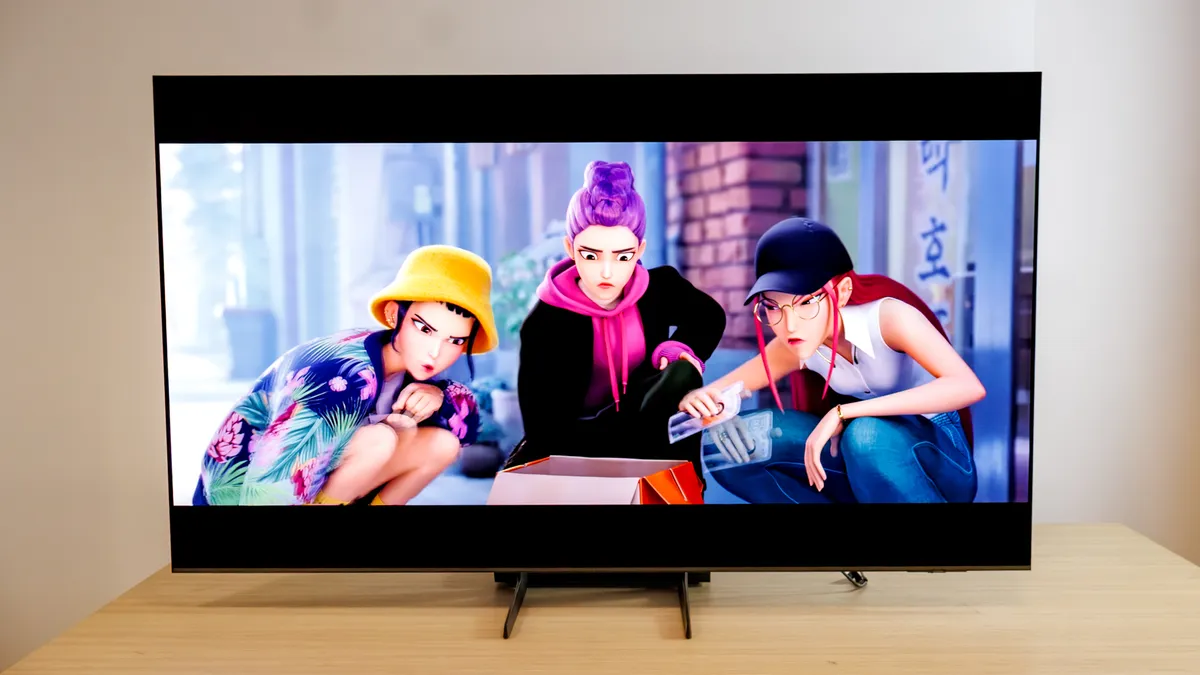
The Samsung S85F OLED definitely prioritizes subtlety over flash in its design, which will be appealing to those who want to go for a minimalistic look. I think that Samsung’s design choices largely hit the mark here, even with its small missteps.
Samsung S85F OLED TV review: Ports
The Samsung S85F comes with four HDMI 2.1 ports (a huge highlight for gamers), and is eARC-compatible in case you want to connect one of the best soundbars. You’ll also get two USB-A ports, as well as an Ethernet port for better internet performance, which you’ll want to take advantage of if streaming services are your media consumption tool of choice.
Image 1 of 2


You’ll also get a 3.5mm audio out port, as well as Wi-Fi 5 and Bluetooth 5.3 support in case you want to remotely connect to any speakers or headphones. Unfortunately, you won’t find an ATSC 3.0 tuner here, as is the case with the rest of Samsung’s 2025 TV lineup.
Samsung S85F OLED TV review: Performance
I watched a number of films while reviewing the S85F, all of them looking their absolute best thanks to this OLED’s remarkable performance.

Dune was a standout, which I watched on 4K Blu-ray. The palette of colors was dazzling, from the warm tones of the Arakis desert sand to the cool, deep blues of Caladan. Both Sinners and Wake Up Dead Man looked similarly great, even though I watched those films via streaming apps. It all looks just as good watching from an angle as it does straight-on, so off-axis viewing shouldn’t be an issue for you.

The S85F has a variety of different picture modes for you to choose from to help enhance whatever you’re watching, including Standard, Eco, Filmmaker, and a few others. Filmmaker Mode was a standout and ended up being my preferred picture setting for most of the review period, which makes everything look warmer and more cinematic, especially when viewing in a dark room.

I also wanted to call out the TV’s AI and Game Modes, which I think are definitely worth experimenting with. The AI mode, which uses AI to optimize your sound and picture settings based on the content that’s on-screen, is pretty cool, but only made my viewing experience “better” a handful of times. Your mileage may vary with it.

Game Mode, however, is going to be a highlight for any gamer — it significantly reduces input lag, and gives you the option of aim assist reticules, ratio adjustments, and more. I was especially impressed with this setting while playing Marvel’s Spider-Man 2 on PlayStation 5, which made web-swinging through New York City smoother and more exciting than ever.

Unfortunately, as with all Samsung TVs, the S85F OLED doesn’t support Dolby Vision and instead uses HDR10+ to get a more accurate range of color. Dolby Vision is generally superior to HDR10+, but for most people, the difference will be negligible.
How we test TVs
We follow a standard testing protocol for every TV we review at Tom’s Guide. Our benchmarks include a series of technical and subject tests designed to rate the set’s performance.

For our technical tests, we use a Jeti spectraval 1501-HiRes spectroradiometer, a Klein K10-A colorimeter, a Murideo 8K-SIX-G Metal pattern generator, and Portrait Displays’ Calman TV-calibration software to take measurements. We also use a Leo Bodnar 4K Input Lag Tester for determining the TV’s gaming prowess.
Subjective tests vary based on the reviewer, but usually feature anecdotes from a diverse selection of movies, TV shows, and other content reflecting the types of things you may actually want to watch on the TV.
Samsung S85F OLED TV review: Test results
| Row 0 – Cell 0 |
Samsung S85F |
LG B5 OLED |
Panasonic Z8B |
Samsung S90F |
|
SDR Brightness (10%, in nits) |
633 |
241 |
257 |
520 |
|
Delta-E (lower is better) |
2.1 |
1.7 |
3.2 |
1.1 |
|
Rec. 709 Gamut Coverage |
113% |
97% |
134% |
100% |
|
HDR Brightness (10%, in nits) |
943 |
632 |
1,035 |
1,231 |
|
UHDA-P3 Gamut Coverage |
99.9% |
98.8% |
99.3% |
100% |
|
Rec. 2020 Gamut Coverage |
89.7% |
76.6% |
75.5% |
89% |
|
Input latency (in milliseconds) |
9.3 |
13.1 |
12.7 |
9.1 |
The Samsung S85F immediately separates itself from the competition in SDR brightness. At 633 nits, it’s more than twice as bright as the LG B5 (241 nits) and far ahead of the Panasonic Z8B (257 nits), making it the better choice for bright rooms. In HDR, it reaches 943 nits — well above the LG’s 632 nits, though it falls short of the Panasonic’s stronger 1,035 nits peak.

Delta-E is how we measure a TV’s color accuracy, and the lower the number we get as the result, the better. In the case of the S85F, we got a Delta-E of 2.1, which is solid and more accurate than the Panasonic (3.2), although it trails slightly behind the LG B5 (1.7).
Gamers will be pleased to know that the S85F leads with 9.3ms of input latency, which is noticeably quicker than the LG (13.1ms) and the Panasonic (12.7ms). That responsiveness, combined with its brightness advantage, makes it the most balanced performer at this price.
However, if you do want to upgrade to the Samsung S90F OLED, you’ll get some clear gains in performance, including a class-leading 1,231 nits in peak HDR brightness, better color accuracy with a Delta-E of 1.1, and even better input latency performance at 9.1ms. While the S85F is the SDR brightness champ, the S90F delivers stronger HDR brightness and superior overall accuracy, making it the better upgrade pick for viewers who want maximum performance.
Samsung S85F OLED TV review: Audio
The S85F’s speakers are pretty lackluster, but this tends to be the case with a lot of stock TV speakers (not that it excuses the just-okay sound quality). I had to crank the volume up to 35 to be able to hear everything, but at louder volumes, I didn’t notice any buzzing or cracking, so it can handle a decent decibel range.

Luckily, the TV has an “Amplify” mode for audio, which did give a nice boost to the mid and high frequencies, especially dialogue. So, if you’re watching a movie with questionable sound mixing (we’re looking at you, Christopher Nolan), you might want to toy around with this feature.
Still, I always recommend getting one of the best soundbars to round out your TV setup instead of accepting subpar speakers that shoot straight into the wall behind the TV. If you get a Samsung soundbar, you can use the brand’s Q-Symphony feature that synchronizes your TV’s audio with the soundbar, making for a more immersive experience.
Samsung S85F OLED TV review: Interface and apps
Samsung’s Tizen OS isn’t my personal favorite (I prefer the simplicity of Roku’s interface), but it’s not awful to deal with, either. If you’re partial to Samsung’s layout, though, you’ll be right at home — all your streaming services, live TV channels, and your favorite apps all live on the home screen and are easy to access.

The only issue I have is that when it comes to getting into the more granular settings tweaks, it’s not always immediately apparent how to navigate to what you want. It takes some getting used to, but once you play around with it for a while, you’ll get comfortable with changing picture modes and more on the fly.
Samsung S85F OLED TV review: Remote
I’m a big fan of Samsung’s streamlined, solar-powered remotes. It has everything you need to navigate the TV’s OS, including dedicated buttons for Netflix, Disney+, Prime Video, and picture settings.

It’s on the smaller side, so you’ll have to be careful about losing it in your couch cushions, but overall, I have no major complaints. And not having to constantly swap in fresh batteries is obviously a plus.
Samsung S85F OLED TV review: Verdict
The Samsung S85F OLED delivers where it counts, and then some. Its picture quality is the star of the show, with rich colors, strong brightness, and excellent off-angle viewing that make movies and TV shows look fantastic. And with its dedicated Game Mode, the S85F is well-equipped for current-gen consoles. The sleek, ultra-thin design and slim bezels only add to its appeal, and should look great in your living room, whether you place it on a media console or mount it on the wall.
In terms of alternatives, the closest match that we’ve tested from a competitor brand would be the similarly-priced LG B5 OLED, and the S85F beats it in just about every category except color accuracy. If you want to go for the upgrade pick, there’s no better choice than the Samsung S90F, which will get you better HDR brightness performance and overall color accuracy.
Unless you spring for the flagship LG C5 OLED or Samsung S95F, there are drawbacks here that need to be accounted for: the lack of Dolby Vision support, subpar built-in audio, and a few build-quality quirks hold the S85F back a bit. Still, those shortcomings are relatively minor compared to what it gets right.
Ultimately, if you’re shopping for a new OLED but can’t shell out for Samsung’s pricier flagship TV models, the S85F will be a great fit for you.
Source link
